
Why Your Homepage Is Killing Your SEO (and How to Fix It)
Author: Varun Kumar – Results-Driven SEO Strategist
Your homepage is usually the most visited and most linked page on your website. When it is slow, vague or badly structured, it drags down rankings, clicks and sales across the whole site. The good news: most homepage problems are easy to find and quick to fix, even if you are new to SEO.
This guide covers the 10 most common homepage SEO mistakes, how to spot each one with free and paid tools (or just your browser), and what to change. If you would rather have experts handle it, professional SEO Services can audit and fix your homepage for you.
Your homepage hurts SEO when it has an unclear headline, too many target keywords, thin content, slow loading, weak internal links, a generic title tag, poor mobile design, no trust signals, a mismatch with search intent, or content that AI search tools cannot understand. Fix these and your whole site benefits.
Good Homepage vs. Bad Homepage: Quick Comparison
Compare your homepage with this table. If it mostly matches the left column, keep reading.
| Area | Homepage That Hurts SEO | Homepage That Helps SEO |
|---|---|---|
| Headline (H1) | “Welcome to Our Website” | Says what you do and for whom |
| Keywords | Stuffed with every service | One main topic, natural variations |
| Content | Banner + a few icons | Services, benefits, proof, FAQs |
| Speed | LCP over 4 seconds | LCP 2.5 seconds or less |
| Title tag | “Home | Company Name” | Keyword + brand, under ~60 characters |
| Mobile | Tiny text, broken layout | Readable, tappable, fast |
| Trust | No reviews or contact details | Testimonials, case studies, real address |
| Internal links | Only a menu | Links to every key service page |
10 Homepage SEO Mistakes at a Glance
| sr.no | Mistake | Warning Sign | Where to Check | Fix Level |
|---|---|---|---|---|
| 1 | Unclear message | High bounce rate | Manual / GA4 | Beginner |
| 2 | Too many keywords | Ranks for nothing well | Semrush / Ahrefs | Beginner |
| 3 | Thin content | Low time on page | Manual / Semrush | Beginner |
| 4 | Slow loading | Poor Core Web Vitals | PageSpeed Insights | Expert |
| 5 | Weak internal links | Service pages not indexed | Screaming Frog / Ahrefs | Beginner |
| 6 | Weak title and meta | Low CTR in Search Console | Search Console | Beginner |
| 7 | Not mobile-friendly | Mobile traffic drops | PageSpeed (Mobile) | Expert |
| 8 | No trust signals | Visits but no leads | Manual | Beginner |
| 9 | Wrong search intent | Impressions, no clicks | Search Console | Intermediate |
| 10 | Not ready for AI search | Missing from AI answers | Manual / Rich Results Test | Intermediate |
Why Your Homepage Matters So Much for SEO
Think of your homepage as your shop window. It tells visitors and Google what your business does, and it passes authority to the rest of your site because most backlinks point to it.
A well-optimized homepage helps search engines crawl your site, sends visitors to the right service pages, builds trust and turns traffic into enquiries.
10 Reasons Your HomepageIs Killing Your SEO
Each mistake below starts with a simple explanation, followed by clear fix steps.
1. It Does Not Clearly Say What You Do
Visitors decide in a few seconds whether to stay. If your headline is vague, they leave, and Google gets little context about your page.
| Weak H1 | Strong H1 |
|---|---|
| Welcome to Our Website | Result-Driven SEO Services to Grow Your Organic Traffic |
| Your Trusted Business Partner | Bookkeeping Services for Small Businesses in London |
| Innovative Solutions for Everyone | Custom Web Design for Restaurants and Cafés |
How to fix it:
- Write one H1 that names your main service and audience.
- Follow it with two or three lines explaining your key benefit.
2. It Targets Too Many Keywords
Many owners try to rank the homepage for every service they offer. The result is stuffed, confusing copy that ranks well for nothing.
How to fix it:
- Pick one main keyword theme for the homepage (for example, “SEO agency”).
- Create a separate page for each service (PPC, web design, content) and link to it from the homepage.
3. It Has Thin or Generic Content
A beautiful banner and three icons may look clean, but they rarely answer what a visitor actually wants to know.
How to fix it:
Add short sections covering your services, audience, differences, process, proof and FAQs. Aim for helpful, not long.
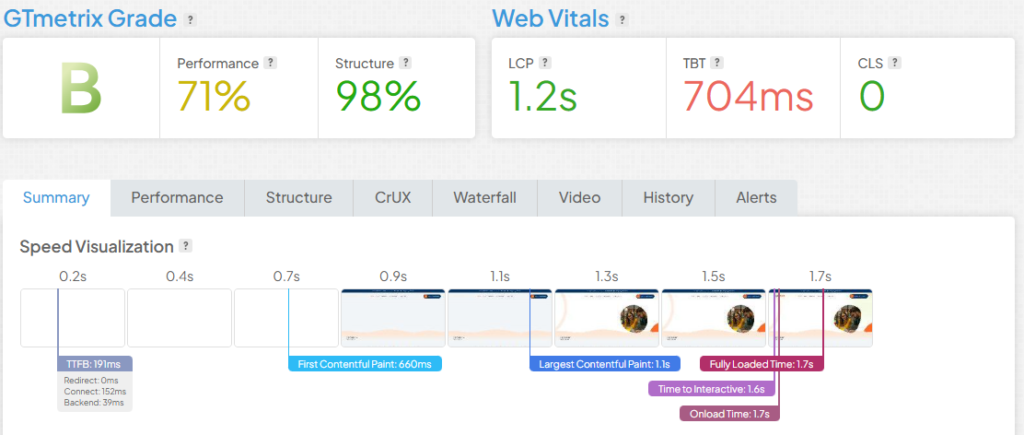
4. It Loads Too Slowly
A slow homepage loses visitors before they read a single word. Large images, heavy scripts, too many plugins and cheap hosting are the usual culprits.
| Core Web Vital | What It Measures | Good Score | Needs Work | Poor |
|---|---|---|---|---|
| LCP | Loading speed | ≤ 2.5 s | 2.5–4 s | > 4 s |
| INP | Responsiveness to clicks | ≤ 200 ms | 200–500 ms | > 500 ms |
| CLS | Layout stability | ≤ 0.1 | 0.1–0.25 | > 0.25 |
How to fix it:
- Compress images and serve them as WebP or AVIF.
- Enable caching and a CDN, and remove unused plugins and scripts.
- Lazy-load images below the fold, but never your main hero image.
5. It Has Poor Internal Linking
Your homepage carries the most authority on your site. If it does not link to your key pages, that authority goes nowhere and those pages struggle to rank.
How to fix it:
- Link to every main service, category and location page from the homepage body, not just the menu.
- Use descriptive anchor text such as “professional SEO services” instead of “click here”.
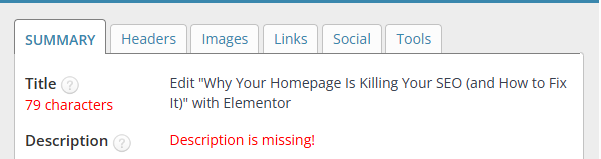
6. Its Title Tag and Meta Description Are Weak
Your title and description are your advert in Google results. A generic one means fewer clicks, even when you rank.
| Element | Before | After |
|---|---|---|
| Title tag | Home | SEO Yodha | SEO Services for Business Growth | SEO Yodha |
| Meta description | Missing or duplicated | Grow your organic visibility with strategic SEO focused on rankings, qualified traffic and leads. |
How to fix it:
Keep titles under roughly 60 characters and descriptions under roughly 155. Google may still rewrite them.
7. It Is Not Mobile-Friendly
Google ranks your site based on its mobile version. If your homepage is hard to use on a phone, rankings and conversions both suffer.
How to fix it:
- Use a responsive design and test on a real phone.
- Make text readable without zooming and buttons easy to tap.
8. It Does Not Build Trust
People rarely contact a business they cannot verify. Trust signals also support Google’s E-E-A-T principles (Experience, Expertise, Authoritativeness and Trustworthiness).
How to fix it:
Show genuine reviews, case studies with real numbers, team credentials, certifications and a full address and phone number.
9. It Ignores Search Intent
Someone searching “SEO agency” wants to compare services, results and pricing, not read a company history.
How to fix it:
Google your main keyword, study the top results and include what they cover: services, proof, process and a clear next step.
10. It Is Not Ready for AI Search
Google AI Overviews, ChatGPT, Gemini and Perplexity now answer many questions directly. Vague, unstructured homepages give these systems little to work with.
How to fix it:
- Use clear headings and answer common questions directly.
- Keep your business name, address and services consistent everywhere online.
- Add Organization or LocalBusiness schema that matches your visible content.
How to Check Your Homepage for SEO Errors
You do not need every tool. Beginners can start free; experts can add paid crawlers for deeper audits.
| Tool | Cost | Best For | Skill Level |
|---|---|---|---|
| Google Search Console | Free | Indexing, clicks, CTR, Core Web Vitals | Beginner |
| PageSpeed Insights | Free | Speed and Core Web Vitals | Beginner |
| Semrush Site Audit | Free plan (limited) + paid | Full technical audit with priorities | Beginner–Expert |
| Ahrefs Site Audit | Ahrefs Free (verified sites) + paid | 170+ technical and on-page issues | Beginner–Expert |
| Screaming Frog SEO Spider | Free up to 500 URLs + paid | Titles, H1s, links, status codes | Intermediate–Expert |
| Manual check | Free | Quick sanity checks in your browser | Beginner |
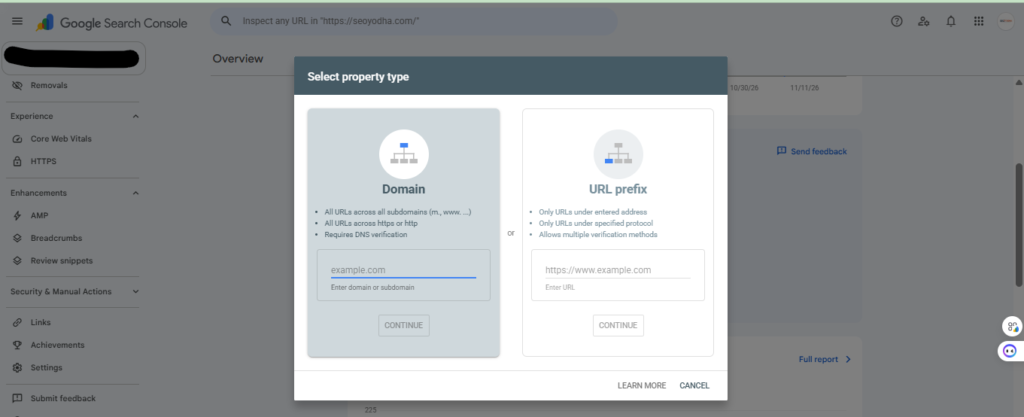
Google Search Console
Start here, because this is Google’s own data about your site. Use URL Inspection to confirm your homepage is indexed, then open Performance to see its clicks and CTR.
PageSpeed Insights
This free tool scores your homepage speed on mobile and desktop. Always check the Mobile tab first, since that is what Google ranks.
Semrush Site Audit
Semrush crawls your site and sorts problems into Errors, Warnings and Notices, with a Site Health score. Fix Errors first, as they have the biggest impact.
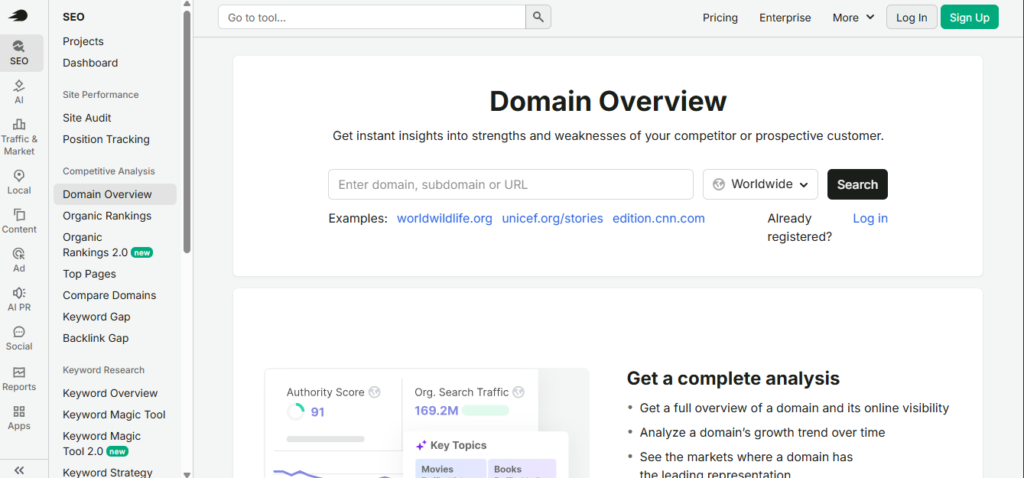
Ahrefs Site Audit
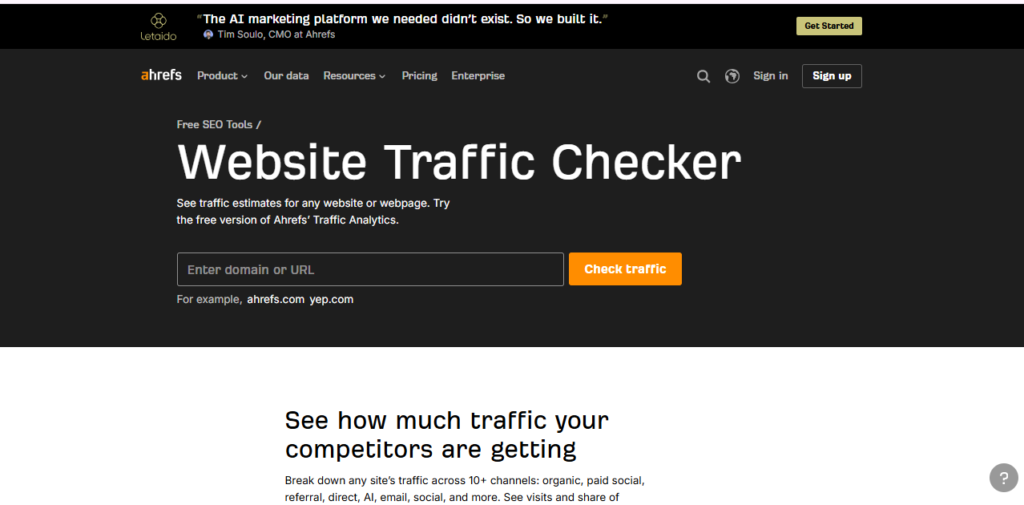
Ahrefs checks for more than 170 technical and on-page issues. Owners of verified sites can use it free through Ahrefs Free (formerly Ahrefs Webmaster Tools).
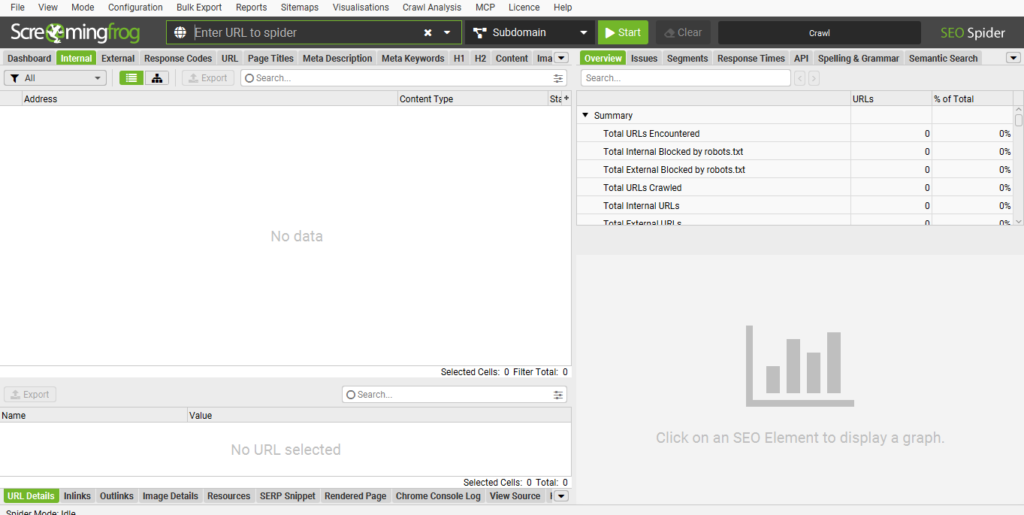
Screaming Frog SEO Spider
This desktop crawler is a favourite of technical SEOs. It quickly reveals duplicate titles, multiple H1s, broken links and redirect chains on your homepage.
Manual Check (No Tools Needed)
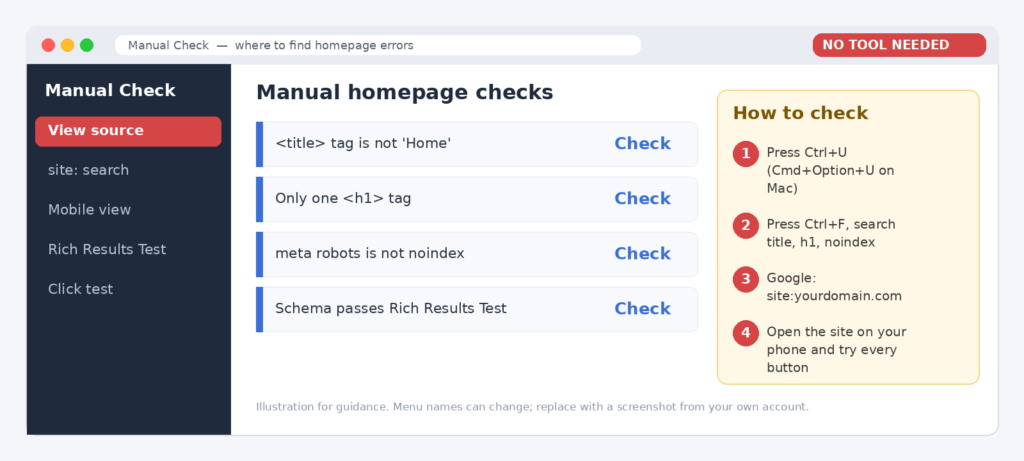
Your browser can catch many problems in two minutes. Press Ctrl+U to view the page source, then search for your title, H1 and any accidental “noindex” tag.
What to Fix First: Priority Order
Not every issue matters equally. Work through them in this order for the fastest results.
| Priority | Issue | Why First |
|---|---|---|
| 1 – Critical | Homepage not indexed / noindex tag | Google cannot rank what it cannot see |
| 2 – High | Slow speed and mobile problems | Visitors leave before reading |
| 3 – High | Weak title, H1 and meta | Quick wins for clicks and relevance |
| 4 – Medium | Internal links and content gaps | Spreads authority, answers intent |
| 5 – Ongoing | Trust signals, schema, AI readiness | Builds long-term visibility |
Why Choose SEO Yodha for Homepage SEO?
SEO Yodha combines technical SEO skill with a clear understanding of your customers.
- Full technical SEO audits with prioritized fixes
- Keyword, content, title and internal linking optimization
- Core Web Vitals and mobile improvements
Frequently Asked Questions
It tells Google what your business is about, holds most of your backlink authority and passes it to other pages through internal links.
One main keyword theme plus a few close variations. Give every other service its own page.
Start with Google Search Console and PageSpeed Insights. Add Ahrefs Free or Screaming Frog’s free version for a crawl.
Every three months, and after any redesign, new service launch or sudden traffic drop.
You can improve your chances with clear answers, consistent business information and accurate schema, but no technique guarantees inclusion.
Final Thoughts: Is Your Homepage Helping or Hurting?
Small homepage mistakes can quietly cost you rankings, clicks and leads. Use the checklist table above, run a quick audit with the tools shown, and fix critical issues first.
Need help? SEO Yodha provides strategic SEO Services that turn your homepage into a reliable source of traffic and qualified leads. Contact SEO Yodha today for a homepage SEO review.
- By Varun Kumar