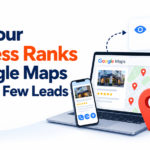
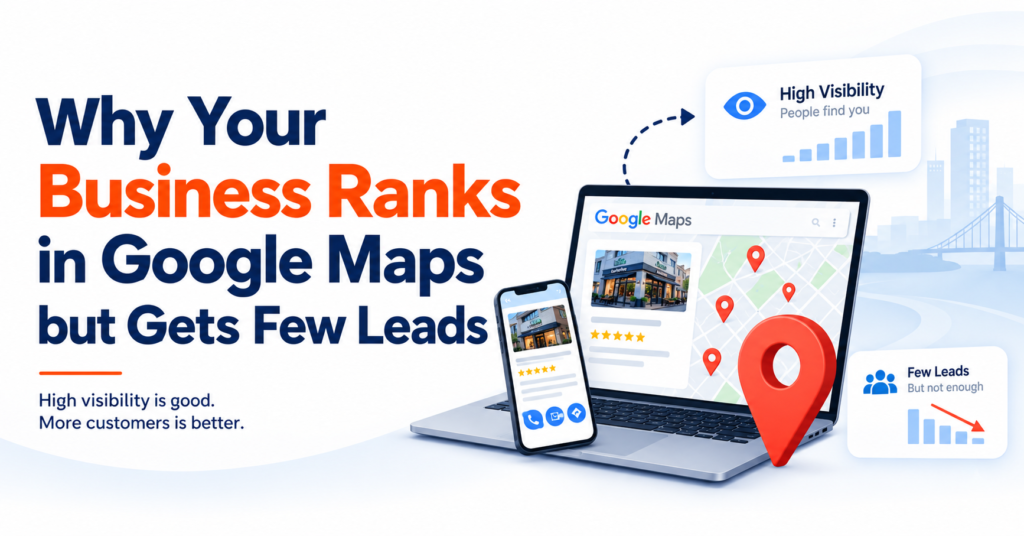
Ranking at the top of Google Maps feels like the finish line. It isn’t. Plenty of businesses sit in the top 3 of the Local Pack and still watch calls, bookings, and form submissions come in slower than expected.
The reason is simple once you see it: ranking, engagement, and conversion are three different things — and a business can win at the first while quietly losing the other two.
| The core idea: Visibility → Evaluation → Engagement → Conversion → Qualified Lead. If any link in that chain breaks, the ranking looks healthy while the phone stays quiet. |
The Gap in One Table
| Stage | What It Measures | What Breaks It |
|---|---|---|
| Ranking | Where your business shows up for a search | Wrong category, weak relevance signals, distance from searcher |
| Engagement | Whether people interact with your profile once they see it | Outdated photos, thin service info, no recent reviews |
| Conversion | Whether that interaction becomes a call, booking, or form fill | Confusing website, hidden phone number, no clear next step |
A business can be perfect on column one and still lose the customer at column two or three. That’s the whole story of “ranking but no leads.”
Are You Ranking for the Right Searches?
Not all local searches carry the same intent. Two people searching in the same city, same industry, can be at completely different points in their decision.
| Search Type | Example | Buyer Intent |
|---|---|---|
| Broad / research | “dentist” | Low — still comparing options |
| Service-specific | “emergency dentist near me” | High — immediate need |
| Location + service | “family lawyer in [city]” | High — ready to shortlist |
| Problem-driven | “roof repair near me” | High — actively seeking help |
The takeaway: ranking #1 for a broad term can matter less than ranking #3 for a specific, high-intent one. A contractor ranking for “contractor” may get more impressions than one ranking for “bathroom remodeling near me” — but the second contractor is standing in front of people who are actually ready to hire.
Is Your Google Business Profile Category Working Against You?
Your primary category tells Google (and customers) what you actually do. Picking a category because it has bigger search volume, rather than because it’s accurate, creates a mismatch: you get impressions, but from the wrong audience.
Quick check: your primary category, secondary categories, listed services, website content, and the actual searches bringing people to your profile should all tell the same story. If they don’t, you’re likely getting traffic that was never going to convert.
The Google Business Profile Conversion Checklist
A potential customer’s first real impression of your business is often the profile itself, not your website. Here’s what it needs to do its job:
| Element | Why It Matters |
|---|---|
| Accurate name, address, phone | Prevents drop-off from confusion or mistrust |
| Correct primary + secondary categories | Aligns visibility with actual intent |
| Complete, specific service list | Answers “do they do what I need?” instantly |
| Current hours (incl. holidays) | Avoids wasted trips or missed calls |
| Clear business description | Sets expectations before the click |
| Recent, professional photos | Signals the business is active and credible |
| Genuine, recent reviews | The single biggest trust signal on the profile |
| Responses to reviews | Shows the business is engaged and accountable |
| Working website link | The bridge to conversion — dead links kill leads |
| Booking/appointment option | Removes a full step of friction |
Every item here should answer one question for the customer: “Is this the right business for what I need?” Completeness for its own sake isn’t the goal — relevance is.
Why a Lower-Ranked Competitor Might Be Winning Your Leads
Local Pack rankings produce a shortlist — they don’t decide who gets picked off that shortlist. A business two spots below you can still win the call if its profile simply makes a stronger case: more recent reviews, better photos, clearer services, an easier booking path.
Example: two dentists appear in the same results. One ranks slightly higher but has few recent reviews and thin profile details. The other ranks lower but shows hundreds of recent, relevant reviews, clear treatment descriptions, and a two-tap booking flow. Customers often choose the second — rank be damned.
Could Your Website Be the Real Leak?
Your Google Business Profile can do everything right and still lose the lead — at the website. Someone clicking through from Maps has a specific need right now. If they land on a generic homepage instead of something that immediately confirms the service, location, and next step, they leave. Common friction points:
- Slow mobile load times
- Generic landing pages that don’t match the search
- Phone numbers buried in the footer
- Multi-step contact forms
- Weak or missing calls to action
- No visible trust signals (reviews, credentials, guarantees)
If someone searches “emergency wisdom tooth removal near me” and lands on a general dentistry homepage, that’s friction you created, not friction they expected.
Stable Rankings, Falling Leads — What’s Actually Happening
A ranking staying flat while leads decline doesn’t mean your SEO stopped working. It usually means one of these:
- Competitors improved their profiles or reviews
- Demand shifted seasonally
- The SERP itself changed — more ads, Local Services ads, or AI-generated answers now sit above the organic Local Pack
- Search behavior shifted toward different query types
Don’t diagnose from a single ranking snapshot. Compare calls, visits, bookings, and form fills month-over-month and year-over-year before concluding anything about ranking performance.
Duplicate Listings and Location Accuracy
Old, duplicate, or outdated Google Business Profiles confuse customers about which listing is “real,” splitting reviews and diluting trust. Your map pin and address also need to reflect your actual location precisely — rankings shift based on exactly where the searcher is standing, so “we rank #2” is never the whole picture. It’s #2 for someone, somewhere, searching something specific — not a universal position.
The Metrics That Actually Matter
| Metric | What It Reveals |
|---|---|
| Calls | Direct customer enquiries |
| Qualified enquiries | Genuine buying intent, not just interest |
| Website visits | Interest beyond the profile itself |
| Appointment actions | Concrete booking intent |
| Form submissions | Lead generation activity |
| Conversion rate | How efficiently traffic becomes action |
| Search queries | Which searches drive real engagement |
| Direction requests | Local visit intent |
A business moving from position #4 to #2 that sees fewer qualified enquiries hasn’t necessarily failed — it may be attracting a broader, less relevant audience at the higher spot. Conversely, a business with a flat ranking but improving profile and reviews can see more calls with no ranking change at all. The right question isn’t “where do we rank?” — it’s “what happens after someone finds us?”
Five Questions to Audit Your Own Google Maps Presence
Before chasing a higher ranking, ask:
1. Are we appearing for searches that match our most valuable services?
2. Does our profile clearly communicate what we actually offer?
3. Do our reviews, photos, and reputation build genuine confidence?
4. Does our website answer the visitor’s need within seconds?
5. Can someone contact or book us without unnecessary friction?
A “no” to any of these is often a bigger opportunity than trying to out-rank a competitor by one more spot.
How Local SEO Should Actually Work
Effective local SEO doesn’t stop at the ranking. It connects five things:
1. Google Business Profile performance — accuracy, completeness, relevance
2. Search intent matching — targeting the specific searches that convert, not just the broad ones
3. Local landing pages — content that mirrors the exact service and location searched
4. Reputation building — genuine reviews, monitored and responded to
5. Conversion path — a website and contact flow with minimal friction
Rankings create the opportunity. Everything after that determines whether it becomes revenue.
Frequently Asked Questions
Why am I getting views but no calls on my Google Business Profile?
Profile views don’t imply strong purchase intent — many viewers are still comparing options. Weak reviews, unclear services, outdated information, poor photos, or a difficult website can all suppress conversion even when visibility is strong.
How can I improve my Google Business ranking?
Maintain an active reputation, ensure your website supports the same services and locations shown on your profile, choose accurate categories, keep service listings complete, and gather genuine customer reviews. These support visibility, though no single action guarantees a specific ranking.
How does Google rank businesses on Maps?
Google’s local algorithm weighs relevance (fit to the search), distance (searcher’s location), and prominence (how well-known or established the business is). Ranking criteria and conversion criteria are separate — prominence doesn’t guarantee a customer will act.
How can I get more leads from Google Maps?
Strengthen your Google Business Profile, target high-intent local searches, build trust signals through reviews, create matching landing pages, simplify the contact and booking process, and track calls, forms, and bookings — not just position.
Work With SEO Yodha to Turn Visibility Into Leads
If your business already ranks well on Google Maps but isn’t generating enough enquiries, the fix usually isn’t “rank higher” — it’s finding exactly where customers are dropping off between seeing your listing and picking up the phone.
Request a free Local SEO audit to find out where your customer journey is breaking down